Festie iOS App

Update: Festie is now available for download in the App Store!

Festie (see demo here) is an iPhone app centred around festivals that allows for collaboration in order to make the most out of your experience. I worked on this project together with my partner Ciaran Redmond who produced all the graphic work while I did all the coding (both client and server side).

The problem we tried to address with this app was that most digital map services today are still used simply as a source of information by their users. In our opinion digital maps should be a more dynamic type of media, which enables the public to annotate them to reflect real-time changes taking place in the real world and to ensure maximum benefit for everyone.

Our proposal is a digital media authoring tool which enables people through the combination of mass collaboration with digital maps to produce a digital map artefact that is collaboratively authored, updated in real time, that benefits both those who use it and those who create it, and that takes advantage of the network effect.

After our initial research and once we were happy with our core idea we narrowed the domain down to festivals to address issues we personally experienced as festival attendees in the recent past and also to fit the project better into our tight time scale.

Read more about the making of Festie here.

Grange Mobile Web App

I did this project to learn how to create a rich mobile web app using modern technologies.

Rather than building a simple static HTML app I wanted to try something richer and more complex to stretch my capabilities and learn as much as possible. On the server side this web app uses a MySQL database and PHP code to publish JSON documents to the client. The client fetches these JSON documents using AJAX and uses them to dynamically build up the app’s pages in JavaScript. I used the jQuery Mobile library to help me build a web interface that works across all mobile devices.

I tried to use as many HTML5 technologies as I could to make a rich & useful user experience. As an example I used the geolocation API to provide contextual information to the user (distances to nearest library’s copy of desired book) and the local storage API to ensure that data is never re-fetched unnecessarily.

If you are curious have a look at the app here, view the source code here, or read more about the making of the app here.

iOS Game App – Undersea Pirate Quest

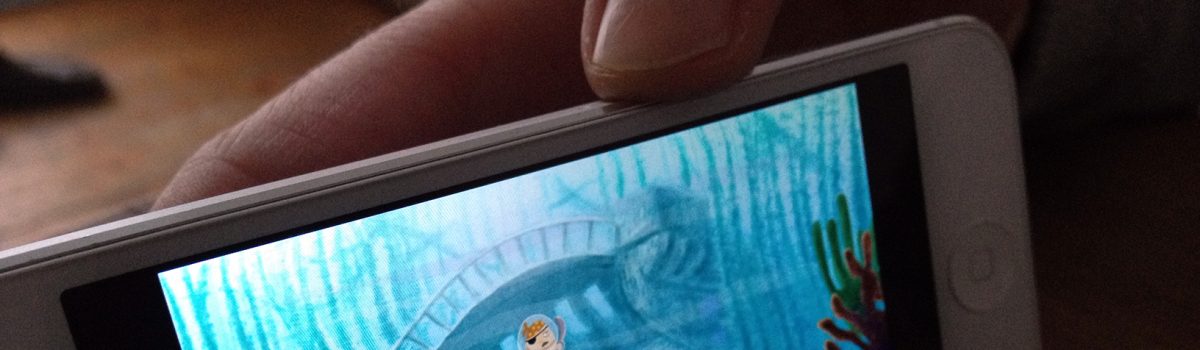
To create this casual iPhone game I collaborated with fellow architect Mark Steward, who used GameSalad for the coding side of things, while I made all the artwork and also helped Mark out with some debugging closer to our deadline.

Our brief required that we take an already existing game and add our own twist to it to make it more fun so we used the popular Zombie Drop game and added little deadly jellyfishes, which moved Pokemon-style to add difficulty to the more advanced levels.

Even though producing the assets and the code involved a lot of hard work, the main purpose of this project (and more hard work!) was to learn the fundamentals of agile development, team workflow and project management.

Quite separately, I was inspired to publish our game to the Apple App Store myself, which taught me a lot about the subtleties of iTunes Connect submission process. You can download our game here. We hope you like it and have fun escaping those deadly jellyfishes!

Python Projects

In the summer of 2014 I took the Rice University’s Principles of Computing online course (taught in Python), which “introduces the basic mathematical and programming principles that underlie much of Computer Science”. The main focus of this course were the weekly mini-projects (strategy-based games) that built upon those principles every week. Here is a bit about each project:

[heading element=”h3″ remove_margins=””]2048[/heading]

For our first project we had to implement the popular smart phone game 2048 (play it here). Concepts learned:

  • Coding standards
  • Testing
  • Plotting

[heading element=”h3″ remove_margins=””]Tic-Tac-Toe (Monte Carlo)[/heading]

For this mini-project our goal was to use Monte Carlo simulations in order to pick the next best move for the machine player. You can play my version here. Concepts learned:

  • Probability
  • Randomness
  • Objects/references

[heading element=”h3″ remove_margins=””]Yahtzee[/heading]

For this game we had to implement a strategy function designed to help us choose which dice to hold after our second roll of the dice. The function was supposed to consider all possible choices of dice to hold and recommend the choice that maximises the expected value of our score after the final roll. You can play my version of Yahtzee here. Concepts learned:

  • Combinatorics
  • Generators
  • Debugging

[heading element=”h3″ remove_margins=””]Zombie Apocalypse[/heading]

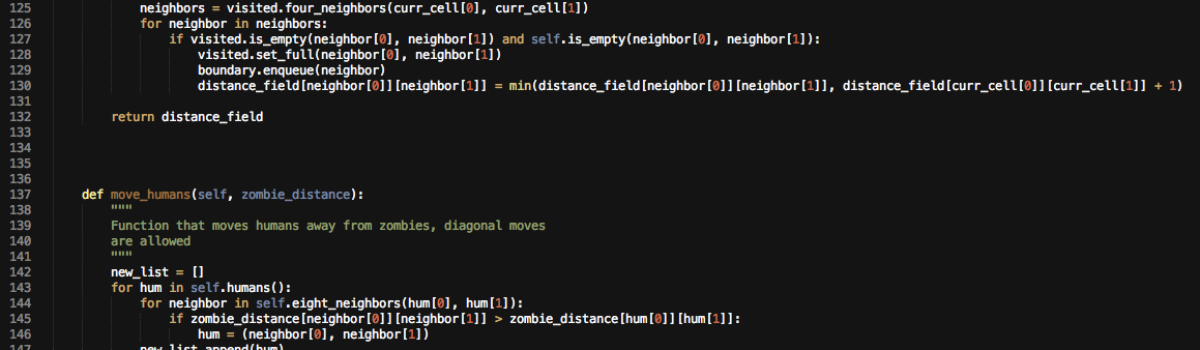
For this mini-project we had to produce a game where humans were being chased by zombies. Humans continue to live even if caught but the zombie gets to eat some human brain. Zombies move up, down, left and right, while humans can also move diagonally. You can play my version of the game here. Concepts learned:

  • Searching (BFS)
  • Data structures
  • Inheritance

[heading element=”h3″ remove_margins=””]Word Wrangler[/heading]

We had to implement a simple word game, which takes an input word and then generates all valid words that can be created using the letters in the input word. You can play it here. Concepts learned:

  • Recursion
  • Sorting
  • Reading files

[heading element=”h3″ remove_margins=””]Tic-Tac-Toe (Mini-max)[/heading]

The brief was to implement a machine player for Tic-Tac-Toe that uses a Mini-max strategy to decide its next move. Although the game is played on a 3×3 grid, our version had to handle any square grid. You can play my version of the game here. Concepts learned:

  • Trees
  • Game solvers
  • Testing

Spaceship Web Game (Python)

This game, which you can play here, was my final project for an online course – Introduction to Interactive Programming in Python that I completed in 2013. This course taught the basics of building simple interactive applications using a browser-based programming environment – CodeSkulptor.

See more of my Python games here: Rock-Paper-Scissors-Lizard-Spock, Guess the Number, Stopwatch, Pong, Memory Game, Blackjack.

See my Statement of Accomplishment here.

Projects in C

I created these nine projects as part of CS50x, which is the free online version of Harvard University’s Introduction to Computer Science. This course was nothing short of spectacular and it was very much the reason for my recent love for Computer Science and the C programming language. Here is a link to my edX/Harvard certificate.

[heading element=”h3″ remove_margins=””]Project 0: Scratch[/heading]
Scratch Screenshot

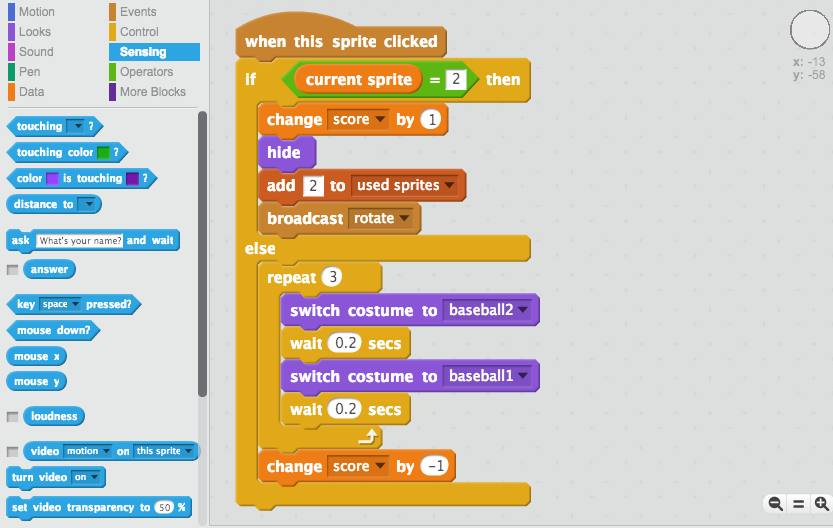
To make our introduction to Computer Science as gentle as possible we made our first project in Scratch—a programming language developed by MIT for teaching programming to children, which uses a colourful block structure instead of actual code and which looks more like pseudocode (see “code” snippet above). The official objectives for this first project were:

  • Understand how information can be represented digitally.
  • Leverage some fundamental programming constructs.
  • Design your own animation, game, or interactive art.
  • Impress your friends.

You can play my simple memory game here.

[heading element=”h3″ remove_margins=””]Project 1: C[/heading]

The first “real” programming assignment for this course was made up of two smaller programs with the following official objectives:

  • Get comfortable with Linux.
  • Start thinking more carefully.
  • Solve some problems in C.

[heading element=”h5″ remove_margins=””]Itsa Mario[/heading]
For Itsa Mario we had to write a program in C that recreates Mario’s half-pyramid* using hashes instead of blocks. This involved doing some user input validation as well.

[heading element=”h5″ remove_margins=””]Time for Change[/heading]
For Time for Change we had to create a greedy algorithm, i.e. to write a program in C that first asks the user how much change is owed and then spits out the minimum number of coins with which that change can be made.

* Toward the end of World 1-1 in Nintendo’s Super Mario Brothers, Mario must ascend a “half-pyramid” of blocks before leaping toward a flag pole.

[heading element=”h3″ remove_margins=””]Project 2: Crypto[/heading]

For our second C project we had to write two programs that encrypt messages first using Caesar’s cipher and then Vigenère’s cipher*. The official objectives for this project were as follows:

  • Become better acquainted with functions and libraries.
  • Dabble in cryptography.

* Caesar’s cipher encrypts (i.e. scrambles in a reversible way) messages by “rotating” each letter by k positions, wrapping around from ‘Z’ to ‘A’ as needed. Vigenère’s cipher improves upon Caesar’s by encrypting messages using a sequence of keys (or, put another way, a keyword).

[heading element=”h3″ remove_margins=””]Project 3: Scramble[/heading]

Our official objectives for this project were:

  • Learn to read and build upon someone else’s code.
  • Learn how to encapsulate data.
  • (Play.)

More specifically we had to implement the game Scramble, which challenges the player to find as many words as possible in a 4×4 grid of letters before a timer expires. Each pair of letters in a word can be adjacent horizontally, vertically, or diagonally.

[heading element=”h3″ remove_margins=””]Project 4: Forensics[/heading]

Project 4 was my favourite as it was so much fun. The official objectives were:

  • Acquaint yourself with file I/O.
  • Get more comfortable with data structures, hexadecimal, and pointers.
  • Help Mr. Boddy.

[heading element=”h5″ remove_margins=””]Whodunit[/heading]

clue

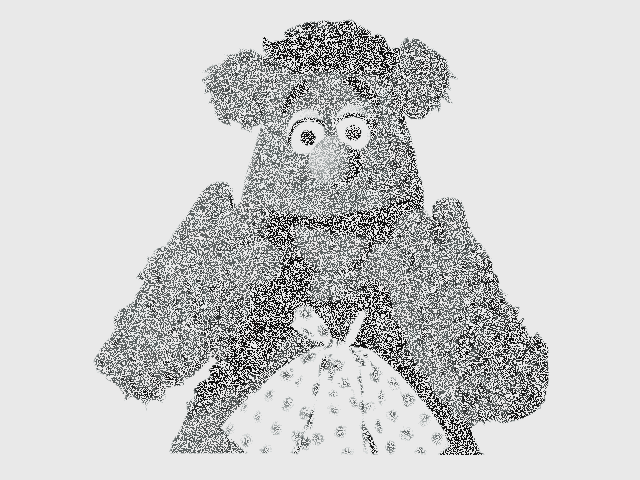
For this project we had to imagine that we were guests in Tudor Mansion, where our host Mr. John Boddy was the victim of foul play and had met an untimely end. The only evidence left at the crime scene was a 24-bit BMP file, pictured above, that Mr. Boddy whipped up on his computer in his final moments. Hidden among this file’s red “noise” was a picture of the culprit. Our aim was to write a program that would determine whodunit.

And the verdict:
verdict black

[heading element=”h5″ remove_margins=””]Resize[/heading]

For Resize we had to implement a program in C that resizes 24-bit uncompressed BMP files by a factor of n.

[heading element=”h5″ remove_margins=””]Recover[/heading]

For Recover we had to write a program in C that recovers a number of “accidentally” deleted photos from a digital camera’s CompactFlash card.

[heading element=”h3″ remove_margins=””]Project 5: Misspellings[/heading]

For this project we had to create the fastest spell-checker we could while using a staff-provided 143,091-word dictionary. The official objectives were as follows:

  • Design and implement your own data structure.
  • Optimize your code’s (real-world) running time.

[heading element=”h3″ remove_margins=””]Project 6: Huff’n Puff[/heading]

For our final C project we had to implement a program that “puffs” (i.e., decompresses) files that have been huffed (i.e. Huffman-compressed) by the staff. The official objectives were:

  • Build and traverse binary trees.
  • Compress and decompress actual files

[heading element=”h3″ remove_margins=””]Project 7: C$50 Finance[/heading]

For this project we had to implement C$50 Finance, a Web-based tool with which one can manage portfolios of stocks. This tool would allow you to check real stocks’ actual prices and portfolios’ values, as well as “buy” and “sell” stocks! Official objectives were:

  • Introduce yourself to HTML, CSS, PHP, and SQL.
  • Learn how to teach yourself new languages.

[heading element=”h3″ remove_margins=””]Final Project: Anti-Frost Watch[/heading]

This project deserves its own post!

Anti-Frost Watch (Arduino)

Anti-Frost Watch was my final project for the Harvard’s CS50x course. We were free to create anything we wanted as long as we used any of the programming languages taught in class. Because I enjoyed programming with a “proper” Computer Science language so much I created my project in C.

Here is a brief explanation of the project:

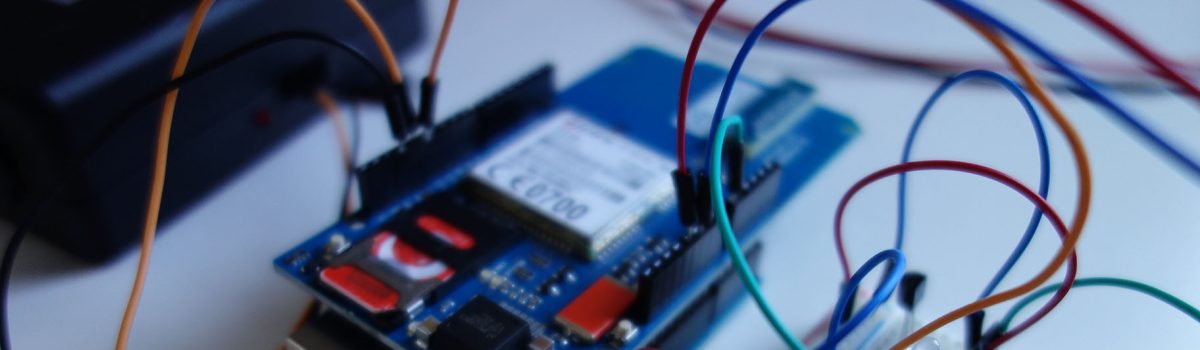
Anti-Frost Watch is a device, which helps home owners in Ireland to remotely protect their properties from frozen/burst pipes in the winter. It uses an Arduino board, a temperature sensor (thermistor), a GSM Shield and a Power Tail for hardware and the software is written in C. It monitors the temperature in the attic, where the water tank is usually located, and once the temperature drops below zero, it sends you a text message and/or turns on the heating. You can request information about the current temperature in the attic by sending a text to the Anti-Frost Watch or give it a direct instruction to switch on/off the heater at any time. Because it’s GSM equipped it doesn’t need internet access, which is hard to come by in rural Ireland.

Coffee Company Branding/Website

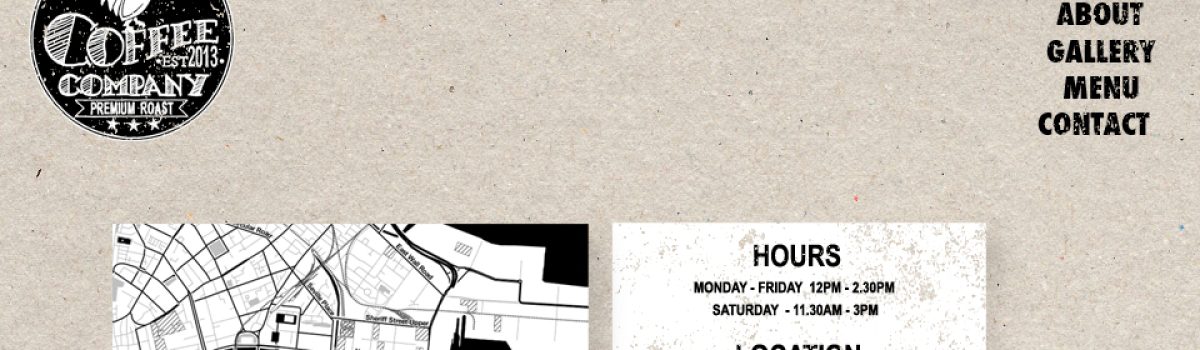
The brief for this DIT project was to create a logo, identity strategy and a website for “The Coffee Company”. My aim was for “a raw, rustic and wholesome feel that looked honest, earthy and crafty but not twee”. To achieve the desired look I used neutral colour scheme (black, white, grey, brown) and various textures such as stamp effect, crafts paper and handwritten text.